Best Project Management Tools for Small Teams Under $50
Disclosure: We may earn a commission when you purchase through links on this site, at no extra cost to you. How we make money.
Project management tools fail small teams in a specific, predictable way: the tool gets set up by the founder or ops manager, has a productive first two weeks, and then gradually becomes a ghost town as the team quietly reverts to Slack threads, Google Docs, and “let me know when it’s done” verbal check-ins. The tool didn’t fail because it lacked features. It failed because the wrong features were prioritized — the team got Gantt charts when they needed a simple task list, or a complex workspace that required 20 minutes of configuration every time a new project started. The tools in this guide were evaluated against a different standard: team adoption. Not feature count, not integration depth, not whether it has a roadmap view. Whether the whole team — not just the person who set it up — opens it every day without being reminded. Here’s what passes that test at under $50/month.
What Makes a Project Management Tool Work for Small Teams
The criteria that matter at 3–10 people are meaningfully different from what a 50-person org needs from project management software:
- Zero-friction task capture: If adding a task takes more than 10 seconds, tasks don’t get added. The best small team PM tools capture tasks faster than writing them in a Slack message.
- Views that match how different people think: One team member wants a kanban board. Another wants a list. A third checks the calendar view for deadlines. The tool needs to serve all three without requiring them to work in the same format.
- Low admin overhead: Nobody on a small team has the job title of “PM tool admin.” The tool needs to maintain itself — recurring tasks, status updates, completion tracking — without someone managing the system constantly.
- Guest access for external collaborators: Small teams regularly work with contractors, clients, and freelancers who need visibility into specific projects without access to everything. Guest/limited access needs to be available and easy, ideally on the free tier.
- Mobile apps that actually work: Team members update tasks between meetings, in transit, and on-site. A good mobile experience isn’t a bonus — it’s a requirement for task data to stay current.
The Best Project Management Tools for Small Teams Under $50/Month
1. Linear — Best for Software and Product Teams
Linear is the project management tool that software teams who’ve tried everything else tend to land on and stay. It’s built specifically for product and engineering workflows — issues, cycles (sprints), projects, and roadmaps — with an interface that’s so fast it feels closer to a native desktop app than a web tool. If your team ships software or manages digital products, Linear’s speed and opinionated structure are a significant productivity advantage over more general-purpose tools.
What makes Linear stand out at small team scale:
- Keyboard-first interface: Every action in Linear has a keyboard shortcut. Creating an issue, updating a status, changing an assignee — all faster than clicking. This isn’t a niche feature; it’s what makes Linear feel frictionless for developers who never want to take their hands off the keyboard.
- Cycles: Linear’s version of sprints — time-boxed work periods with automatic carryover of incomplete issues. For small product teams doing informal sprints without a Scrum master, Cycles provide structure without ceremony.
- Triage inbox: Incoming issues from integrations (GitHub, Slack, customer feedback tools) land in a triage view before being assigned to a team or project. This prevents the unorganized issue pile that plagues most small teams as inbound requests scale.
- GitHub and GitLab integration: Link issues to pull requests — issue status updates automatically when a PR is merged. For development teams, this eliminates the “update your Linear ticket” reminder that nobody ever does consistently.
Where it falls short:
- Built almost exclusively for software/product workflows — not the right tool for agencies, service businesses, or general business operations
- No time tracking, billing, or client-facing features
- Opinionated structure means less flexibility for teams that work very differently from the Linear model
Pricing: Free (250 issues, all core features), Basic $8/user/month (unlimited issues), Business $16/user/month. A team of 5 on the Basic plan = $40/month — well under the $50 threshold.
2. ClickUp — Most Feature-Complete Free Tier
ClickUp’s free tier is legitimately the most feature-complete in the project management category — unlimited tasks, unlimited members, multiple views (list, board, calendar, Gantt), docs, whiteboards, and 100 automation runs per month. For small teams that want access to a wide feature set without paying, no competitor matches it.
What makes ClickUp work for small teams:
- View flexibility: The same set of tasks can be viewed as a list, kanban board, calendar, table, or Gantt chart. Team members work in their preferred format without friction; the underlying data is shared.
- Docs within tasks: Meeting notes, briefs, and project documentation live alongside the tasks they inform — no switching to Google Docs for every written artifact.
- Native automations: 100 automation runs per month on the free tier covers most small team use cases — status-triggered assignments, recurring task creation, due date reminders.
- Goals: Connect tasks to higher-level objectives and track progress toward them automatically as tasks complete. Useful for teams that want task management to roll up to quarterly goals without manual updates.
Honest caveat: ClickUp’s feature density is simultaneously its strength and its adoption risk. The same breadth that makes it powerful for advanced users creates configuration paralysis for teams that just want to ship. The free tier requires some intentional setup before it feels like a clean workspace rather than a feature showcase. If your team needs to be up and running in under an hour, ClickUp’s setup overhead is real.
Pricing: Free (unlimited tasks, 100 MB storage), Unlimited $7/user/month (unlimited storage, integrations), Business $12/user/month. A 5-person team on Unlimited = $35/month.
3. Notion — Best for Teams That Need Documentation Alongside Tasks
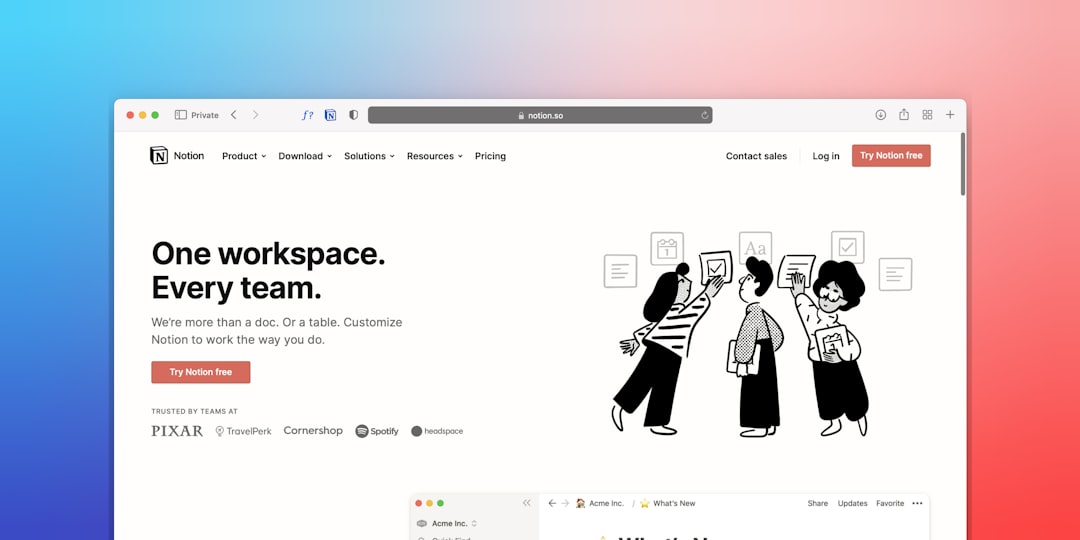
Notion isn’t primarily a project management tool — it’s a flexible workspace — but for small teams whose project work is inseparable from documentation, planning, and knowledge management, that’s exactly the right architecture. Your project tasks, meeting notes, product specs, and team wiki live in the same place, connected by internal links rather than forcing you between four different apps.
What makes Notion work for small teams:
- Project databases with multiple views: Create a projects database with kanban, calendar, and table views of the same data — each team member uses their preferred view without duplicating information
- Linked databases: Your task database can pull from your client database and your meeting notes database — when you open a project, its linked tasks, related client records, and relevant meeting notes are all visible in one place
- Free guest access: Share specific pages with clients or contractors via public link — no account required. Client portals, project status pages, and shared briefs all work without guest seats on your plan.
- Notion AI: Available as an $8/member/month add-on — summarizes meeting notes, drafts project briefs, extracts action items from long documents. For small teams that do significant written work, the AI add-on pays back quickly in time saved.
Where it falls short as a PM tool:
- Task management requires more setup than dedicated PM tools — you’re building a task system from database components rather than using a pre-built task layer
- No native time tracking
- The flexibility that enables power use also enables procrastination on system building — teams that spend more time designing their Notion workspace than doing work is a real pattern
Pricing: Free (unlimited pages, 10 guests), Plus $10/user/month (unlimited guests, version history). A 5-person team on Plus = $50/month — exactly at the limit. For the free tier, most small team needs are covered indefinitely.
4. Basecamp — Best for Client-Facing Project Teams
Basecamp’s flat $15/user/month pricing (or $299/month flat for unlimited users, which is the right plan for teams of 20+) and client-centric design make it a standout for agencies, consultants, and service businesses where client communication is embedded in project workflow.
What makes Basecamp stand out for client work:
- Client access is a first-class feature — invite clients to their project view, where they see only what you want them to see (deliverables, message threads, shared files) without visibility into internal tasks and team conversations
- Message boards replace email threads for project communication — everything searchable in one place, no inbox archaeology
- Automatic check-ins ask team members scheduled questions (“what did you work on today?”) — reduces status update meetings without requiring manual reporting
Pricing honest assessment: At $15/user/month, a 4-person team hits $60/month — over the $50 threshold. The per-user plan works for teams of 1–3. For larger teams, the $299/month unlimited plan only makes sense at 20+ users. The pricing model has an awkward middle zone for teams of 4–15.
Pricing: $15/user/month or $299/month flat (unlimited users).
5. Trello — Best for Simple Kanban-Only Workflows
Trello’s free tier is the most straightforward kanban tool in the market — unlimited cards, 10 boards per workspace, and a clean visual interface that anyone on a team can understand in five minutes without training. For teams whose workflow genuinely maps to a kanban board (a finite number of stages, work moves left to right, one view covers everything), Trello’s simplicity is an advantage.
The honest constraint: Trello is a kanban tool with limited extensibility beyond that. When you need a calendar view, task dependencies, subtasks, or project-level reporting, you’re adding Power-Ups (integrations) that patch over limitations rather than working with the tool’s native capabilities. Teams that start on Trello frequently migrate to ClickUp or Linear within 12 months as their workflow complexity outgrows what Trello handles natively.
Pricing: Free (10 boards, unlimited cards), Standard $5/user/month, Premium $10/user/month.
Side-by-Side Comparison
| Tool | Free Tier | 5-Person Team Cost | Best Views | Native Automation | Best For |
|---|---|---|---|---|---|
| Linear | Yes (250 issues) | $40/mo (Basic) | List, board, roadmap | Basic | Software/product teams |
| ClickUp | Yes (unlimited tasks) | $35/mo (Unlimited) | List, board, Gantt, calendar, table | Strong (100/mo free) | Feature-hungry teams |
| Notion | Yes (unlimited pages) | $50/mo (Plus) | List, board, calendar, gallery | Limited | Docs + tasks together |
| Basecamp | No (trial only) | $60/mo (over limit) | To-do lists, message boards | Check-ins only | Client-facing agencies |
| Trello | Yes (10 boards) | $25/mo (Standard) | Kanban only (native) | Limited (Butler) | Simple kanban workflows |
The Adoption Test: How to Know Which Tool Your Team Will Actually Use
The most expensive project management tool is the one your team won’t use — and that failure is almost always predictable from the evaluation process. Most teams pick tools based on feature lists. The right way to evaluate is a live trial with real work.
The two-week test:
- Pick two finalist tools based on your team type and budget.
- Run one real project in each tool simultaneously — your next sprint, client deliverable, or product milestone.
- At the end of two weeks, check task completion rates, who updated the tool without being reminded, and who quietly did their work tracking elsewhere.
- The tool with higher unprompted adoption is the right tool — regardless of how it ranked on the feature comparison sheet.
This test consistently reveals the winner more accurately than any demo or review, because it measures actual behavior rather than stated preference. The tool that looks best in a demo is often not the tool the team opens habitually.
How Project Management Fits Your Broader Software Stack
Project management doesn’t exist in isolation — it connects to the rest of your business software. The integrations that matter most at small team scale:
- CRM integration: For sales-adjacent teams, tasks that flow from deals in your CRM prevent dropped balls between sales and delivery. ClickUp and Notion both integrate with HubSpot and Pipedrive. If you’re evaluating your CRM simultaneously with your PM tool, our guide to CRM tools for small businesses under 20 people covers the same budget-conscious lens applied here.
- Communication tool integration: Slack and Teams integrations that let team members create tasks from messages without leaving the chat are the single most impactful adoption driver for any PM tool. Verify this integration works well in your trial before committing.
- Helpdesk integration: For teams where support tickets flow into engineering or operations tasks, a clean helpdesk-to-PM-tool connection prevents the manual handoff that causes issues to stall. Our guide to the best helpdesk software for small business teams covers which tools integrate most cleanly with the PM tools reviewed here.
- Team adoption — whether the whole team opens the tool without being reminded — is the only metric that matters for project management tool evaluation at small team scale, and it’s not measurable from a feature comparison sheet.
- ClickUp’s free tier is the most feature-complete in the category and keeps most small teams at $0 indefinitely — upgrade to Unlimited ($7/user/month) only when you hit specific feature gaps, not preemptively.
- Linear is the right answer for software and product teams specifically — its speed, developer-first interface, and GitHub integration make it the tool engineering teams actually use rather than work around.
- Run a two-week live trial with real work in your two finalist tools before committing — unprompted adoption behavior in a real trial predicts long-term success better than any demo.
- Project management switching costs are high — choose based on where your team will be in 18 months, accounting for team growth, workflow complexity, and integration needs you’ll accumulate over time.
Frequently Asked Questions
Is there a truly free project management tool for small teams?
Yes — several. ClickUp’s free tier offers unlimited tasks, unlimited members, and multiple views with no time limit. Notion’s free tier provides unlimited pages and basic database functionality. Linear’s free tier covers teams up to about 250 issues. Trello’s free tier supports 10 boards with unlimited cards. For most small teams in the early stages of formalizing their project management, the free tiers of these tools cover genuine needs for 12–18 months before hitting meaningful limitations. Upgrade triggers are typically storage limits (ClickUp), guest access restrictions (Notion), or automation run limits (ClickUp) — not core task management functionality.
What’s the difference between project management and task management tools?
Task management tools (Todoist, Things, Microsoft To Do) organize individual to-do items, typically for a single user or a very small team. Project management tools (ClickUp, Linear, Notion, Basecamp) manage work at the project level — tracking multiple interconnected tasks, assigning work to team members, monitoring progress against milestones, and maintaining shared context across the team. For a solo founder or solopreneur, a task management tool is often sufficient. Once you’re coordinating work across two or more people with dependencies, deadlines, and shared visibility requirements, a project management tool is the right layer.
How do I get a resistant team to actually use a new PM tool?
Three factors determine adoption: relevance (can I find my work here faster than looking elsewhere?), habit formation (is the team lead modeling consistent tool use publicly?), and friction reduction (are integrations set up so the tool requires less work than alternatives?). The single most effective adoption driver is leadership consistency — if the founder or team lead checks tasks, assigns work, and gives updates inside the PM tool rather than via Slack or email, the team follows. Tools that get “introduced” and then managed from the old communication channels never get adopted. Tools where the team lead’s first question every standup is “I can see from [PM tool] that X is in review — can you walk us through the current status?” get adopted within two weeks.
When should a small team upgrade from free to paid project management?
Upgrade when a specific free tier limitation is creating real friction — not before. Common upgrade triggers: ClickUp’s 100 automation runs/month limit is hit consistently; Notion’s 10-guest limit is insufficient for your contractor and client access needs; Linear’s 250-issue limit is approached and you don’t want to archive aggressively. Paying for a feature you’re not using is waste; staying on a free tier that’s causing workarounds is also waste. The right upgrade moment is when the cost of the workaround (time, quality, team frustration) exceeds the cost of the paid plan — which is usually obvious when it arrives.
Should I use the same tool for project management and CRM?
For most small teams, no — the mental models are different enough that combining them creates friction. CRM tools track relationships, pipeline stages, and revenue. PM tools track work, tasks, and delivery. Tools that try to do both (HubSpot Projects, Notion with a sales database) work but require significant configuration to handle both well. The practical exception: a very small team (2–3 people) at early stage that genuinely can’t afford two tools and has simple enough workflows in both areas that a Notion setup covering both is sufficient. As the team grows and workflow complexity increases in both areas, splitting to dedicated tools almost always produces better adoption and outcomes.
Related Reading
- Best AI Tools to Save Time at Work for Non-Tech Teams via BizRunBook
- Best Project Management Tools for Solopreneurs 2026 via AutoFlowGuide